Best Break Reminder Apps 2026: Free, Mac, Windows & Linux Picks
Quick verdict: Restier for guided breaks, Stretchly for free open source, Workrave for RSI, and Time Out for Mac. Compare pricing and platforms.
Try the guided, meeting-aware alternative
Try Restier free for 14 days if you want calmer breaks, posture and eye reminders, and fewer awkward interruptions during real work.
If you spend long hours at a desk, the best break reminder app is not simply the one with the longest feature list. It is the one that fits your platform, budget, and work rhythm closely enough that you actually keep it enabled.
If you want the quick verdict before comparing every option: Restier is the best overall break reminder app for guided breaks, Stretchly is the best free open-source cross-platform pick, Workrave is the strongest RSI-first option for Windows and Linux, and Time Out is still the best free Mac break timer to try first. If you are only comparing Mac options, use the dedicated guide to the best free Mac break timer and Mac break reminder apps.
Some people want strict micro-breaks to reduce strain. Others want Pomodoro-style work blocks, a calmer full-screen reset, or smarter behavior around meetings and time away from the keyboard. If you are searching for the best break reminder app for Mac, Windows, Linux, or a free break reminder app, the right answer can change quickly depending on platform and workflow.
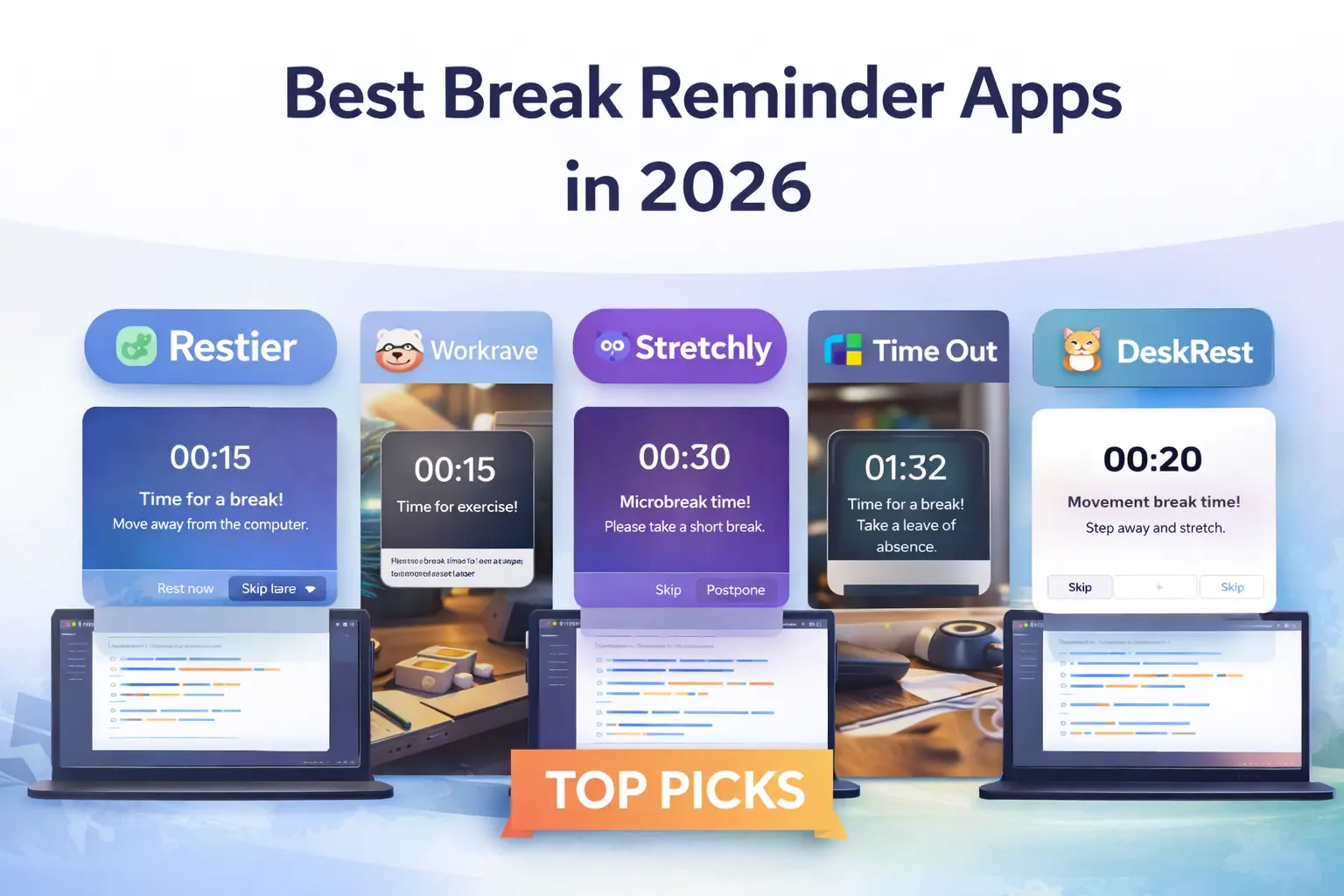
This guide compares five strong options in 2026: Restier, Workrave, Stretchly, Time Out, and DeskRest. The goal is not to crown a fake universal winner. It is to help you pick the best break reminder app for how you actually work.
TL;DR: Quick Recommendations
If you just want the shortest answer: Restier is the best overall pick for guided breaks, Stretchly is the best free open-source cross-platform pick, Workrave is the strongest RSI-first option for Windows/Linux, and Time Out is still the most obvious free Mac break timer to try first. If your search is specifically for the best free Mac break timer, start with Time Out, then compare Stretchly if cross-platform support matters too.
- Best overall for most people: Restier if you want a modern, cross-platform break reminder app with guided breaks, posture support, and meeting-aware behavior.
- Best free option for Windows/Linux: Workrave if you want a strict, RSI-focused tool and do not need polished design.
- Best free cross-platform option: Stretchly if you want an open-source app with solid defaults and deep customization.
- Best break reminder app for Mac if you want native simplicity: Time Out.
- Best break reminder app for remote work on Mac: DeskRest if meeting detection, posture nudges, and habit streaks matter more than cross-platform support.
Comparison Table
| App | Best for | Platforms | Pricing | Break philosophy | Notable strengths | Main watch-out |
|---|---|---|---|---|---|---|
| Restier | Most people who want a balanced, modern app | Windows, macOS, Linux | 14-day trial, then paid | Pomodoro-style focus blocks + short/long breaks + guided health resets | Meeting-aware, wellness nudges, guided breaks, multi-monitor overlays, stats | Paid product |
| Workrave | RSI prevention and strict break habits | Windows, Linux | Free, open source | Micro-breaks + rest breaks + daily limit | Mature, configurable, strong RSI framing, detailed statistics | Stable release is not aimed at macOS users |
| Stretchly | Free cross-platform break reminders | Windows, macOS, Linux | Free, open source | Mini breaks + long breaks | Good defaults, idle/DnD awareness, strong customization | Less polished guidance around habits and coaching |
| Time Out | Mac users who want a native-feeling timer | macOS | Free core app, optional supporter purchase for advanced features | Normal breaks + micro-breaks | Native Mac feel, natural breaks, activity tracking, configurable actions | macOS only |
| DeskRest | Mac users who want a modern wellness-first app | macOS | Paid lifetime plans | Short/long breaks + posture reminders + focus sessions | Meeting/focus detection, posture flashes, streaks, custom exercises | macOS only |
What Actually Matters in a Break Reminder App
If you are comparing the best break reminder apps, these are usually the differences that matter most in daily use:
- Platform fit: a break reminder app for Mac is not automatically a good choice for Windows, and vice versa.
- Break style: some tools are built around frequent micro-breaks, while others feel closer to Pomodoro or guided recovery.
- Strictness: some people need a harder-to-ignore reminder; others need something calm enough to leave on all day.
- Remote-work awareness: meeting detection, idle detection, and low-friction resume behavior matter a lot if your schedule is messy.
- Customization vs simplicity: power users may want deep control; others just want a clean tool with good defaults.
The Best Break Reminder Apps in 2026
1. Restier
Best for: people who want the most balanced all-around option across macOS, Windows, and Linux.
Restier is the easiest app on this list to recommend broadly because it covers the basics well and also solves modern annoyances that many older break timers ignore. It supports guided breaks, wellness nudges, eye-friendly resets, and meeting-aware behavior without feeling overly clinical or overly gamified.
If your workday includes long focus sessions, multiple monitors, and frequent calls, Restier feels designed for that reality. It is also one of the better fits if you want a break reminder app for remote work rather than just a timer that counts down.
Why people pick it
- Cross-platform support for Windows, macOS, and Linux
- Guided breaks for breathing, posture, mobility, and visual resets
- Compact wellness nudges for movement, posture, vision, breathing, and hydration
- Meeting-aware and idle-aware behavior
- Full-screen multi-monitor break overlays
- Habit feedback through stats and streaks
Where it may not fit
- It is paid after the free trial
- If you specifically want an old-school, highly utilitarian, open-source app, Workrave or Stretchly may feel more aligned
For deeper comparisons, see Restier vs Workrave, Restier vs Stretchly, and the broader Stretchly alternatives guide.
2. Workrave
Best for: Windows and Linux users who care most about RSI prevention, frequent micro-breaks, and strict break structure.
Workrave has been around for a long time, and that maturity still shows in a good way. It is focused, highly configurable, and unapologetically built around repetitive strain prevention. Micro-breaks, rest breaks, and daily limits are the core of the product.
If you want a free tool that takes breaks seriously and you do not care much about modern visual polish, Workrave remains one of the strongest choices in 2026.
Why people pick it
- Free and open source
- Strong RSI-oriented positioning
- Very configurable micro-break and rest-break structure
- Detailed usage statistics
Where it may not fit
- The stable download is for Windows and Linux; that makes it a weak default recommendation if you need a break reminder app for Mac
- The interface is more functional than polished
- It is less focused on meeting-aware behavior and modern workflow smoothing
If Workrave is on your shortlist, this broader guide to Workrave alternatives goes deeper on tools with a similar goal but different trade-offs.
3. Stretchly
Best for: people who want a free, cross-platform break reminder app with good defaults and room to tweak.
Stretchly sits in a useful middle ground. It is less clinical than Workrave, more broadly cross-platform, and still comfortably in the free/open-source camp. The default setup is straightforward: mini breaks plus longer breaks, advance notifications, tray controls, and pauses when you are idle.
For many users, Stretchly is the best place to start if they want a no-cost cross-platform option before deciding whether they need something more opinionated.
Why people pick it
- Free and open source
- Works on Windows, macOS, and Linux
- Good mini-break defaults
- Idle awareness and Do Not Disturb awareness
- Deep customization if you like tuning preferences
Where it may not fit
- Less built around coaching, recovery guidance, or habit insights
- Some advanced preferences are more comfortable for tinkerers than casual users
If Stretchly is close but not quite right, compare the best Stretchly alternatives before choosing.
4. Time Out
Best for: Mac users who want a native break timer with flexible break types and a long track record.
Time Out has been a known Mac option for years, and it still makes sense if you want something that feels Mac-native and fairly modular. It supports both longer breaks and micro-breaks, can account for natural breaks away from the computer, and can track activity if you want a little more visibility into your patterns.
It is not the most modern-looking app in this roundup, but for some Mac users that is less important than stability and native fit. If your search is really for the best free Mac break timer, Time Out is still the cleanest place to start before you compare broader Mac alternatives.
Why people pick it
- Native-feeling macOS experience
- Normal breaks and micro-breaks are both configurable
- Natural break support
- Activity tracking and customizable break actions
- Free core usage, with optional paid supporter access to advanced features
Where it may not fit
- macOS only
- Less focused on remote-work features like meeting-aware suppression
- If you want a more wellness-forward experience, DeskRest or Restier may feel more current
5. DeskRest
Best for: Mac users who want a more modern wellness-first app than classic timers usually offer.
DeskRest is Mac-only, so it will not be the best break reminder app for everyone. But if you are fully on macOS and want smarter reminders around posture, focus sessions, and meetings, it is an interesting option.
Compared with Time Out, DeskRest feels more explicitly wellness-oriented. Compared with Restier, it is more limited by platform but strong on Mac-specific presentation and workflow fit.
Why people pick it
- Built specifically for macOS
- Meeting detection, focus mode detection, and idle logic
- Posture flash reminders and custom exercises
- Streaks and progress visualizations
- Multiple reminder styles, including cursor-following countdowns
Where it may not fit
- macOS only
- Newer and narrower in scope than long-established alternatives
- Less useful if you switch between Mac and Windows
Best For by User Type
If you arrived here searching for the best break reminder app for Mac, best free Mac break timer, or best break reminder app for Windows, start with the matching section below and ignore the rest for now.
Best break reminder app for Mac
If you only use macOS, the shortlist is usually Time Out, DeskRest, Stretchly, and Restier.
- Choose Time Out if you want the most classic native Mac timer approach.
- Choose DeskRest if you want modern posture and meeting-aware wellness features.
- Choose Restier if you want Mac support now but may also need Windows or Linux later.
- Choose Stretchly if free and open source matter most.
For a deeper Mac-only shortlist, see the dedicated guide to the best free Mac break timer and Mac break reminder apps.
Best break reminder app for Windows
If you need a break reminder app for Windows, the strongest options are usually Restier, Workrave, and Stretchly.
- Choose Workrave if you want a stricter, more RSI-first tool.
- Choose Stretchly if you want free cross-platform simplicity.
- Choose Restier if you want a more polished experience with guided breaks and meeting-aware behavior.
Best break reminder app for remote work
If your day includes calls, context switching, and irregular focus blocks, you want more than a timer.
- Restier is the strongest overall fit for remote knowledge work because meeting-aware and idle-aware behavior reduce awkward interruptions.
- DeskRest is a strong remote-work option too if you are fully on macOS.
- Stretchly and Time Out can still work well, but they are better fits if you value timing/cadence more than meeting-awareness.
Best free break reminder app
- Choose Workrave if you are on Windows or Linux and want the most serious RSI-oriented option.
- Choose Stretchly if you want a free break reminder app that also supports macOS.
- Choose Time Out if you are on Mac and the free core feature set is enough for you.
Best free Mac break timer
If you specifically want a free Mac break timer, start with Time Out and Stretchly.
- Time Out is the better fit if you want a Mac-first timer with normal breaks, micro-breaks, and natural break detection.
- Stretchly is the better fit if you want a free, open-source break reminder that also works on Windows and Linux.
- Restier is worth considering if you try free timers but still want guided breaks, meeting-aware suppression, multi-monitor overlays, and wellness nudges across platforms.
The practical test is simple: if the free timer is enough to keep you taking breaks, keep it. If you keep skipping reminders because they feel poorly timed or not useful, a more guided app can be easier to stick with.
If you want to keep exploring that Mac-specific intent, continue with the dedicated guides to the best free Mac break timer and Mac break reminder apps and Time Out alternatives.
Honest Recommendation: Which App Should Most People Choose?
There is no single best break reminder app for every kind of user.
But if you want the most balanced recommendation in 2026, Restier is the best overall pick for most people because it combines cross-platform support, guided breaks, posture help, multi-monitor handling, and smarter day-to-day behavior around meetings and idle time.
That said:
- Choose Workrave if free, strict, RSI-oriented break structure matters more than visual polish.
- Choose Stretchly if you want the best free cross-platform starting point.
- Choose Time Out if you are a Mac-only user who prefers a long-standing native option.
- Choose DeskRest if you are Mac-only and want a newer wellness-focused app with posture and meeting-aware features.
The right choice depends less on marketing claims and more on whether the app matches your actual work rhythm closely enough to stay turned on.