Smart Break Reminders for Healthy Eyes & Better Posture
Restier helps you maintain healthy habits while working. Get timely reminders to rest your eyes, correct your posture, and take meaningful breaks.
Download NowFree 14-day trial. No credit card required.
 macOS
macOS  Windows
  Linux
Linux - ✓ Multi monitor overlays, so you never miss a break reminder.
- ✓ Auto pause when you’re away or in meetings (Zoom, Meet, Teams, and more).
- ✓ Private by design: no screen content tracking, no audio/video recording, no file access.
Choose your platform
Grab the installer for your system. Linux users can choose .deb or .rpm (x64 and ARM64).
Fair-use trial: 14 days, one per device, quick online check.
Need another format? Contact us and we will help.
Everything you need for healthier work habits
Restier combines simple techniques with smart automation to help you take better care of yourself while staying productive.
Smart Break Timers
Customize work sessions and breaks with the Pomodoro technique. Short breaks refresh you, long breaks recharge you.
Posture Reminders
Gentle flash reminders help you maintain good posture throughout the day.
Multi-Monitor Support
Break overlays appear on all your connected displays simultaneously. Perfect for multi-monitor setups.
Idle Detection
Automatically pauses when you step away and resumes when you return. No wasted break reminders.
System Tray Integration
Always accessible from your menu bar. See countdown timers and control everything with a click.
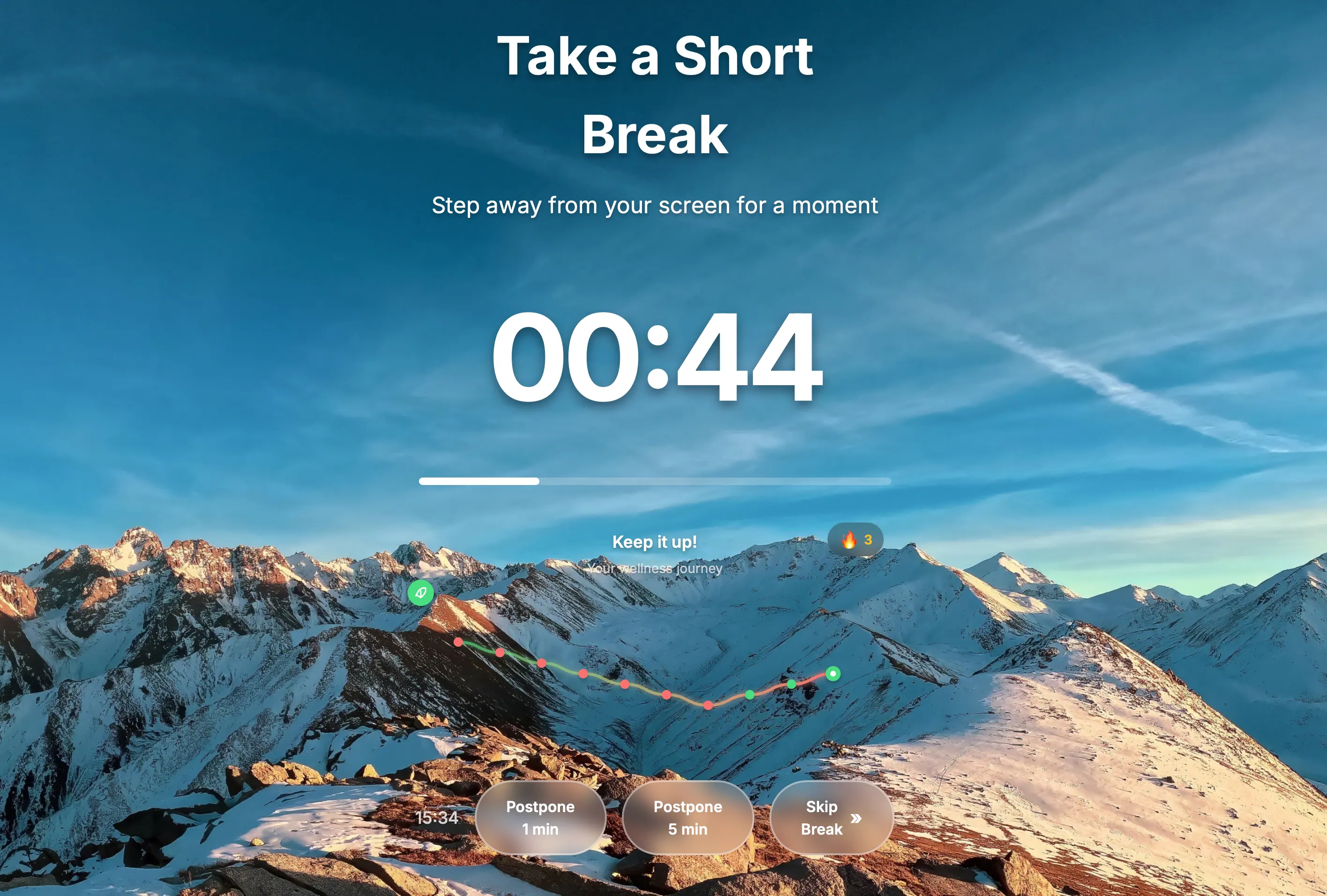
Beautiful Overlays
Elegant break screens with customizable backgrounds. Make your breaks visually pleasant.
Meeting Detection
Automatically pauses during video calls and meetings. Detects Zoom, Meet, Teams, and more. Never interrupt an important call.
Detailed Statistics
Track your break habits with daily and weekly stats. See your streaks, completion rates, and build healthy routines.
Pre-Break Alerts
Get a gentle heads-up before your break starts. Wrap up your work comfortably without sudden interruptions.
Ready to improve your work habits?
Start Your Free TrialDesigned to be helpful, not invasive
Privacy first
We collect minimal data for licensing and trial protection, and we do not track your screen, files, or personal health information.
Respects your flow
Idle detection pauses automatically when you step away, and meeting detection avoids interruptions during calls.
Works the way you work
Customize your schedule, get pre break alerts, and see simple stats to build consistent habits.
Built by a developer who needed it
Why Restier exists
I’ve been a software engineer for 17 years. I love deep focus, but I can lose track of time and spend hours without looking away from the screen or leaving the chair. In my 20s that was fine, but over time it caught up with me. I wanted a modern, consistent experience across Windows at work and macOS and Linux at home. Restier started as my solution.
Simple yet powerful
Get started in seconds and customize everything to match your workflow.
Download & Install
Get Restier for your Mac, Windows PC, or Linux machine. The app runs quietly in your system tray.
Customize Your Schedule
Set your work duration, break length, and posture reminder intervals to match your needs.
Work Healthier
Let Restier guide you through your day with gentle reminders that respect your flow.
Ready to improve your work habits?
Start your free 14-day trial today. No credit card required.
Download NowAvailable for macOS, Windows, and Linux • Free 14-day trial