Best Free Mac Break Timer (2026): 5 Apps Compared
Compare Time Out, Stretchly and BreakTimer for free Mac break reminders, plus two paid options. Check macOS support, call handling and setup before choosing.

Try the guided, meeting-aware alternative
Try Restier free for 14 days if you want calmer breaks, posture and eye reminders, and fewer awkward interruptions during real work.
For a free Mac break timer, start with Time Out if you want a Mac-only app with free core features, Stretchly if you want open-source mini and long breaks, or BreakTimer if you want configurable intervals and working hours. You do not need a paid app just to get a regular break reminder.
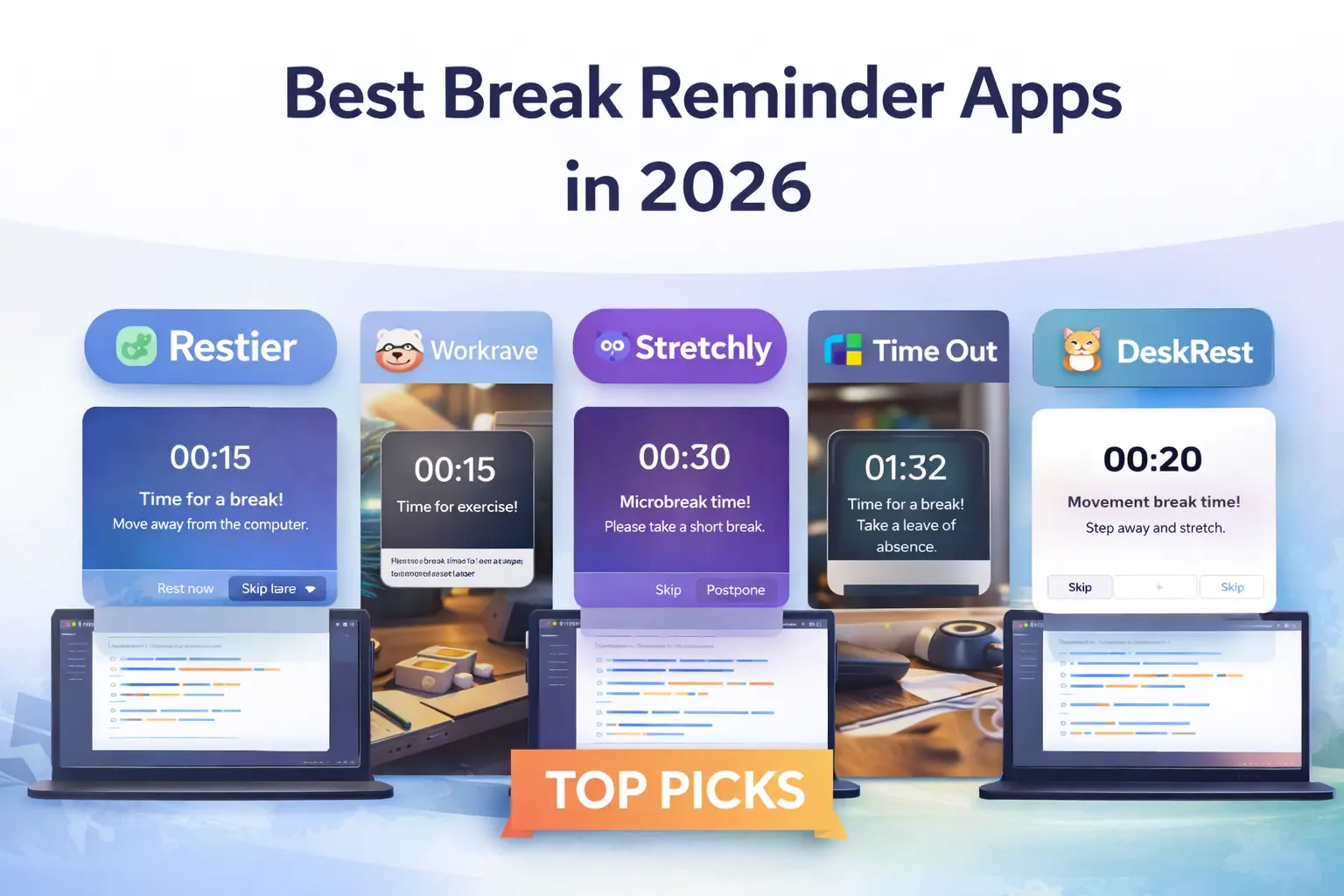
The important distinction is free ongoing use versus a free trial. Restier has a 14-day trial, then requires a license. DeskRest also sells paid licenses. They are included below for readers who need more than a free timer, not as free substitutes.
Free Mac Break Timers: Quick Comparison
| App | Ongoing free use? | Platforms | Useful starting point | Check before choosing |
|---|---|---|---|---|
| Time Out | Yes, core features; optional paid features | macOS | Normal and Micro breaks | Current version requires macOS 26; an older release supports 10.15+ |
| Stretchly | Yes, open source | macOS, Windows, Linux | Mini and Long breaks, idle awareness | Choose the download matching your Mac and review reminder settings |
| BreakTimer | Yes, open source | macOS, Windows, Linux | Custom intervals and working hours | Test the reminder style and snooze controls in your workday |
| Restier | 14-day trial, then paid | macOS, Windows, Linux | Guided breaks and configurable break surfaces | Meeting detection needs enabling and device selection |
| DeskRest | Paid licenses; check current offers | macOS | Custom exercises and posture prompts | Official site requires macOS 14.2+ |
This comparison uses official product pages and documentation checked on October 12, 2026. It is published by Restier; these are workflow recommendations, not results from a comparative performance or medical trial. Download requirements and paid feature boundaries can change.
For a broader platform comparison, use our break reminder apps guide.
1. Time Out: Free Core Features for a Mac-Only Routine
Time Out by Dejal provides Normal and Micro breaks with adjustable timing. Its core features remain free. Extra features require optional purchases.
The current download is version 3.1 for macOS 26 or later. Dejal also links version 2.9.7 for macOS 10.15 or later. Check your system version before downloading.
Time Out documents rules for apps, calendars, Focus and fullscreen activity, plus scripts for calls. Check the edition and paid requirements for those rules.
Choose it when: you want a Mac-only timer and its free core covers your schedule. See Time Out alternatives if your requirements go beyond that.
2. Stretchly: Free Open-Source Mini and Long Breaks
Stretchly is an open-source reminder for macOS, Windows and Linux. Its official documentation describes a 20-second Mini break every 10 minutes and a five-minute Long break every 30 minutes by default.
It also documents idle detection and pausing while Do Not Disturb is on. Those defaults are configurable; they are not a recommended medical schedule for every person.
Choose it when: you want free software, two break lengths and a routine you can also use on another desktop platform. Start with its preferences before editing advanced configuration. For other options, see our Stretchly alternatives guide.
3. BreakTimer: Free Scheduling and Working Hours
BreakTimer offers adjustable break frequency and duration, working hours, customizable messages, and advance notifications with skip or snooze. Its official site links a universal Mac download and a GPL-licensed source repository.
Choose it when: your main requirement is “remind me at this interval during these hours.” During setup, check whether the reminder gets your attention without disrupting the task you are finishing. Do not infer automatic call detection from the phrase “smart notifications”; test the behavior you need.
4. Restier: A Paid Option for Guided Breaks
Restier supports macOS, Windows and Linux, with guided Movement, Breathing, Vision and Posture breaks. Its timer documentation explains fullscreen breaks across connected displays, a smaller Light surface, and Relaxed, Balanced and Strict modes.
For call-heavy work, meeting detection uses selected microphones and cameras as signals. It is off by default. Enable it, select the relevant devices and check a real call before relying on it. You can choose whether a due break starts when the meeting ends.
The official pricing page offers a 14-day trial, then paid annual or lifetime licenses. Consider Restier if you want guidance during the break or those controls. If a free timer already meets your needs, keep it.
5. DeskRest: A Mac-Only Paid Option
DeskRest documents short and long breaks, custom exercises, posture flashes, working hours, and video-call, meeting and Focus detection. Its site lists macOS 14.2 or later.
Its pricing page lists paid Mac licenses, including lifetime options. Check the current purchase and trial terms before installing; it belongs in the paid shortlist rather than the ongoing-free list.
Choose it when: you want those Mac-specific controls and prefer its approach after trying the available download.
How to Test a Mac Break Timer in One Workday
Feature lists do not answer the most useful question: will you follow this reminder in your actual workflow? Use the same small test for each shortlisted app, with only one timer running at a time.
- Check compatibility first. Compare your macOS version and processor with the official download requirements. Use the developer’s download or store link.
- Start with one break schedule. Choose an interval you can realistically follow. Add a second type of reminder only if you need it.
- Try the reminder while doing normal work. Can you finish a sentence before stopping? Is postponing too easy, or is the interruption too strong?
- Test time away from the desk. Leave the Mac idle, then return. See whether the timer recognizes that pause or immediately asks for another break.
- Test a call and screen sharing. Check the relevant pause rules or meeting settings. A reminder that behaves well during solo work may still interrupt a presentation.
- Check a second display and sleep/wake. Confirm where the break appears and how the countdown behaves after your Mac wakes.
- Review the result. Note reminders followed, postponed and missed. Change one setting before switching apps; otherwise you will not know what improved the fit.
These checks help distinguish a missing feature from a setting you have not enabled. They also avoid paying for a workflow problem a free app can already solve.
Frequently Asked Questions
What is the best free Mac break timer?
Time Out is a useful starting point for Mac-only use with free core features. Stretchly is a good starting point for open-source mini and long breaks. BreakTimer suits configurable intervals and working hours. Choose based on compatibility and the reminder behavior you will actually follow.
Is Time Out completely free?
Its core features are free; supporter and premium features are optional purchases. Check the edition and feature you need on Dejal’s official page.
Do I need a paid app to pause during calls?
Not necessarily. First check the rules, Do Not Disturb behavior and manual pause controls in your current app. If you need automatic detection, verify how it works and whether it is included in the free edition. Test your call setup rather than relying on a comparison-table label.
Does Restier have a free Mac version?
Restier offers a 14-day trial, followed by a paid license. It is an option for guided breaks and configurable reminders, not an ongoing-free timer.
If you keep forgetting to take breaks during deep focus, Restier adds a light prompt at the right moment. Download Restier (free trial).